

Google Ads Auction Insights and SpyFu are the two most effective tools for analyzing competitor ad campaigns, uncovering targeted keyword strategies, and estimating monthly ad spend. Outperforming competitors in Google Ads requires precise mathematical data on who you are bidding against to ensure you aren't wasting your budget on blind optimization.
Key Competitive Analysis Metrics:
- Auction Insights (Free): A native Google Ads reporting tool that reveals your exact auction competitors by tracking shared Impression Share, Overlap Rate, and Position Above Rate.
- SpyFu (Starting at $33/month): A premium competitive intelligence platform offering 18+ years of historical search data to expose competitor keywords, ad copy variations, landing pages, and estimated PPC budgets.
The Value of Competitor Research:
- Identifying competitor search terms prevents wasted ad spend on unqualified, low-intent keywords.
- Analyzing historical ad messaging highlights exactly what hooks and offers resonate with your target audience.
- Tracking competitor budgets reveals direct gaps in their bidding schedules and overall campaign strategies.
The Exact Framework to Analyze Competitors:
- Extract your top overlap competitors directly from the Google Ads Auction Insights dashboard.
- Input those exact competitor domains into SpyFu to download their historical keyword lists and ad data.
- Optimize your bids, daily budgets, and ad copy based strictly on this extracted performance data.
Campaigns built on extracted competitor data consistently drive lower Cost Per Acquisition (CPA). Here is the exact process to execute this strategy.
Google Ads Auction Insights: Identifying Your True Search Competitors
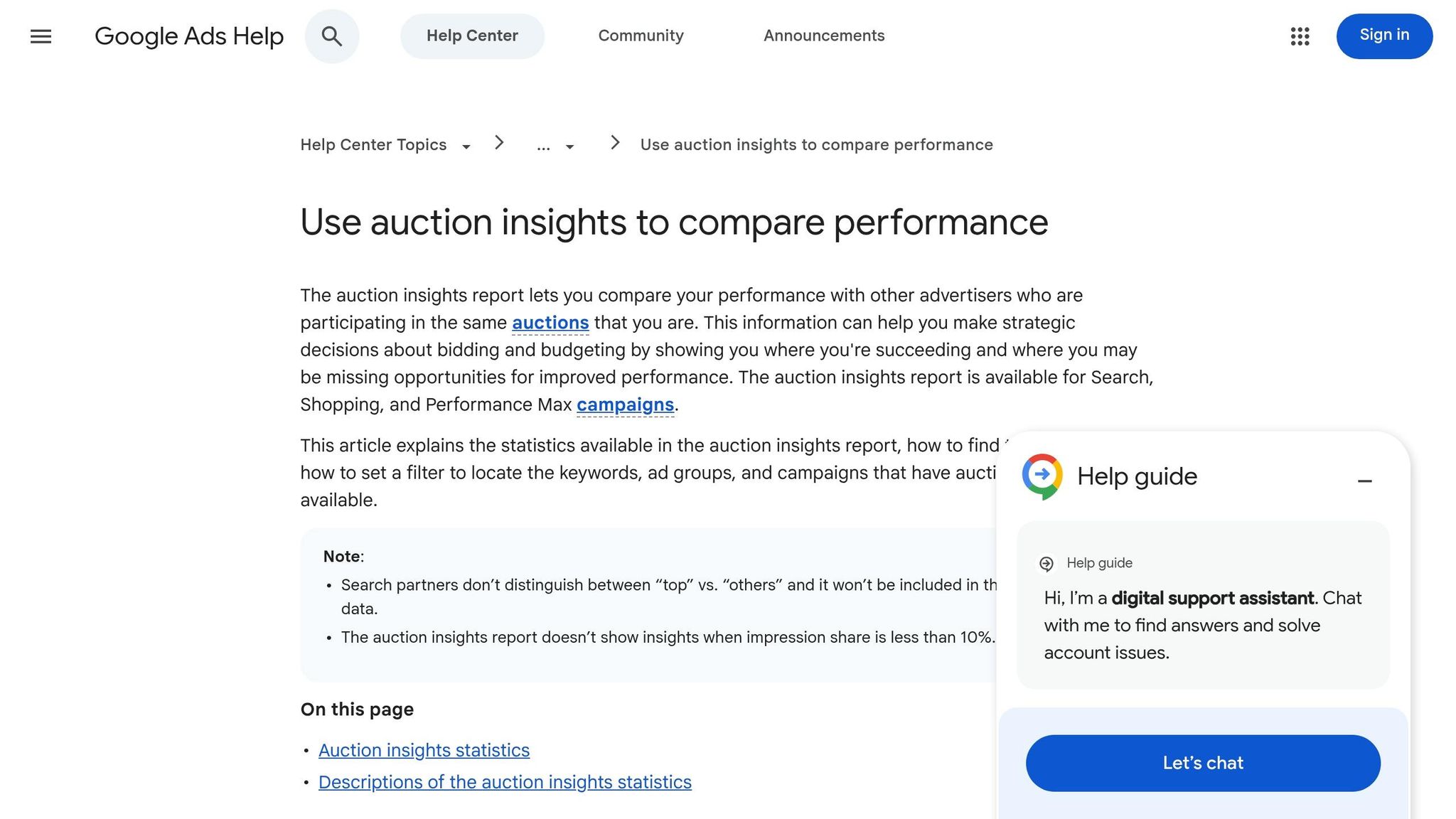
How to Access the Google Ads Auction Insights Report
The Auction Insights report is located in the Google Ads sidebar by clicking "Insights and reports" and selecting "Auction insights." This account-level report displays all active businesses directly competing for your exact ad placements across the network.
Generate highly specific competitor data by navigating directly to the Campaigns, Ad groups, or Search keywords pages. Selecting specific items and clicking the "Auction insights" button filters the statistics table to isolate data for targeted Search and Shopping campaigns.
For Performance Max campaigns, competitor data is housed in the "Insights" tab at the account or campaign level, featuring ad appearance history dating back to November 2021. This report requires a minimum search impression share of 10% to populate actionable data.
Understanding Key Metrics in Auction Insights
Six primary metrics within the Auction Insights report benchmark your campaign performance directly against competing domains to dictate your bidding strategy:
- Impression Share: The total percentage of eligible search impressions your ads captured, defining your overall market share.
- Overlap Rate: The frequency a competitor's ad triggered in the exact same auction as your ad. An Overlap Rate above 60% indicates a direct competitor heavily targeting your identical audience.
- Position Above Rate: The percentage of auctions where a competitor's ad successfully ranked in a higher ad slot than your ad.
- Outranking Share: The frequency your ad ranked higher than a competitor’s ad or successfully appeared when their ad failed to trigger.
Auction competitors often differ entirely from real-world business competitors.
"It's quite common for your 'auction competitors' to be slightly different from who you might consider your 'real world' competitors, making this report critical for identifying actual digital threats," explains Google Ads Coach Jyll Saskin Gales.
Top of Page Rate and Absolute Top of Page Rate exclusively measure Search campaign placements. Securing the absolute top position typically increases cost-per-click (CPC) by 35–45% compared to positions 2–3, while conversion rates historically only improve by 8–12%. You must verify the math before blindly bidding for the number one slot.
Finding Your Top Competitors
Sorting the Auction Insights report by Overlap Rate immediately identifies your most direct competitors. Domains exhibiting an Overlap Rate above 60% are actively draining your core audience traffic, while domains holding an 80–100% Impression Share are heavily funded market leaders dominating the auction.
Budget scaling leaves an immediate footprint in this data.
"If you see a competitor's overlap rate increase, you know they've likely scaled up their budget," notes Tim Jensen, Marketing Lead at M&T Bank.
High Position Above Rates indicate a competitor is either bidding aggressively or maintaining a superior keyword Quality Score. Segmenting this data by device type or time of day reveals precise periods—like early afternoon—when aggressive competitors exhaust their daily budgets, creating cheap bidding opportunities for your campaigns.
Cross-reference identified competitors within the Google Ads Transparency Center to review their active ad text and unique selling points (USPs). Running this analysis on your specific branded terms guarantees you catch competitors actively poaching your highly profitable brand traffic.
sbb-itb-d8a1e45
Quick Google Ads Competitive Analysis Video Tutorial
SpyFu Tutorial: Extracting Competitor Keywords and Ad Budgets
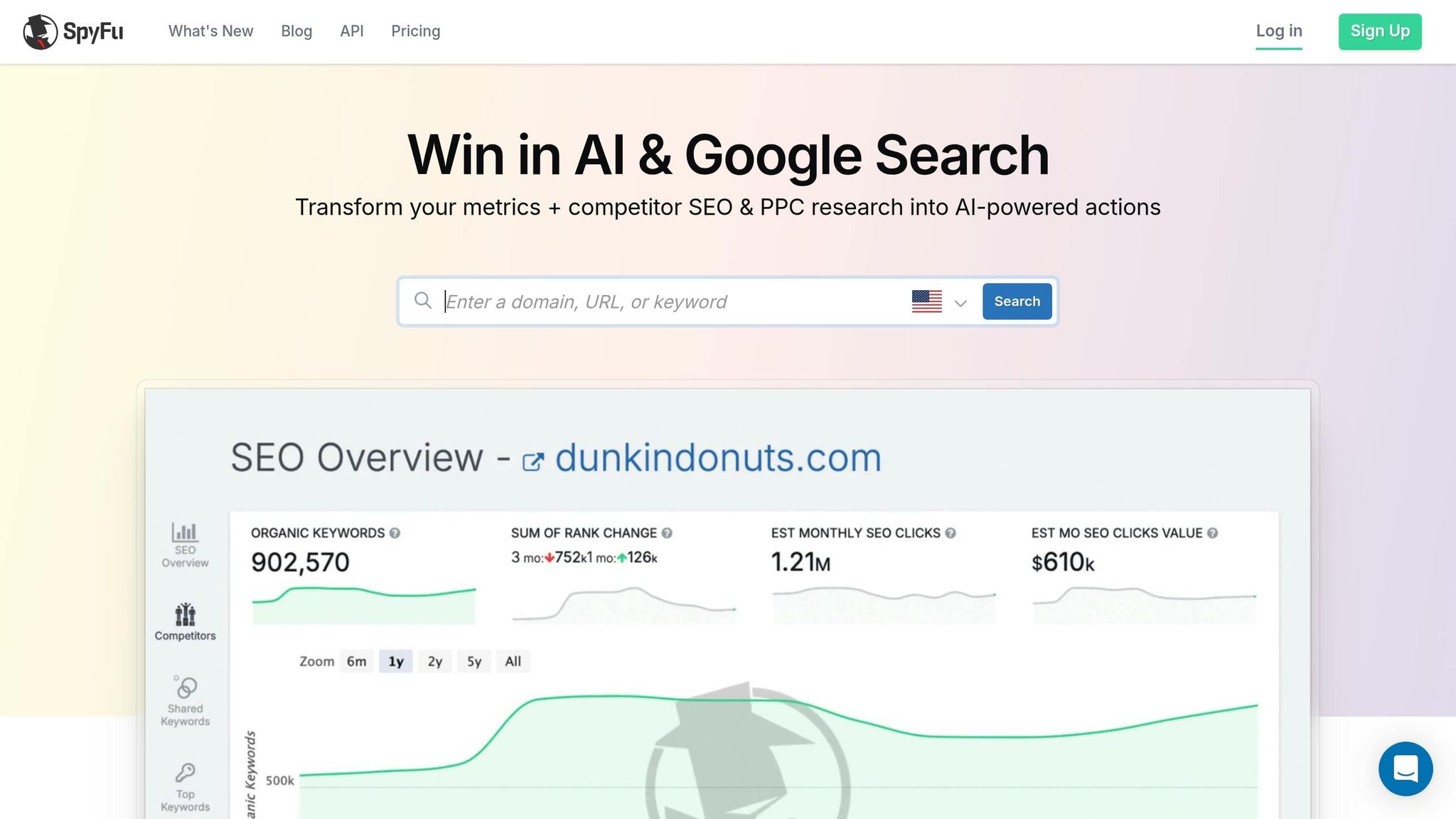
SpyFu isolates the exact keywords, ad copy variations, and landing pages your competitors use to drive traffic, moving your strategy beyond the basic domain data provided by Google Ads.
How to Enter Competitor Domains in SpyFu
Entering your own domain into the SpyFu search bar immediately populates the "Top Paid Competitors" report, highlighting external websites with the highest keyword overlap in your industry.
Manually inputting domains discovered via Google Ads Auction Insights into SpyFu's "Custom Add" feature unlocks up to 18 years of historical Pay-Per-Click (PPC) data for that specific business.
The SpyFu Kombat Tool compares your domain against two competitors to generate a Venn diagram of shared search terms. The tool's "Consider Buying" filter specifically extracts profitable keywords your competitors are successfully bidding on that are entirely missing from your current campaigns.
Analyzing Competitor Ad Copy Strategy
The SpyFu "Ad History" tab catalogues every ad variation a competitor has published for a specific keyword over time. Keywords that continuously appear at the top of a competitor's bidding chart represent their highest-value, most profitable search terms.
Color changes within the SpyFu Ad History grid indicate a competitor has launched a new ad copy split test. Reverting to a previous color signifies a failed copy test, while short-lived temporary ads point to abandoned messaging experiments.
Ad variations running consistently for six months or longer are mathematically proven, high-converting assets. For example, Etsy tested over 30 headline variations for "handcrafted jewelry" before settling on a long-term winning headline that featured specific artist names to drive higher click-through rates.
Estimating Competitor Monthly Ad Budgets
Calculating a competitor's estimated monthly ad spend requires exporting their top 10 keywords from the "Top Ad Competitors" report and analyzing the Total Monthly Clicks, Percent Paid Clicks, and Phrase CPC.
The formula for estimating competitor keyword spend is: Total Monthly Clicks × % Paid Clicks × Phrase CPC. A keyword driving 10,000 monthly clicks, with a 30% paid click ratio and a $2.50 CPC, equates to a $7,500 estimated monthly spend for that specific search term. Exclude branded keywords from this calculation to evaluate true competitive acquisition spending.
The "PPC Research" tab tracks historical spending trends, highlighting budget surges during peak seasons or major product launches. Uncharacteristic spikes in spend on top-tier keywords directly indicate a competitor is aggressively scaling high-return campaigns.
Step-by-Step Google Ads Competitive Analysis Workflow
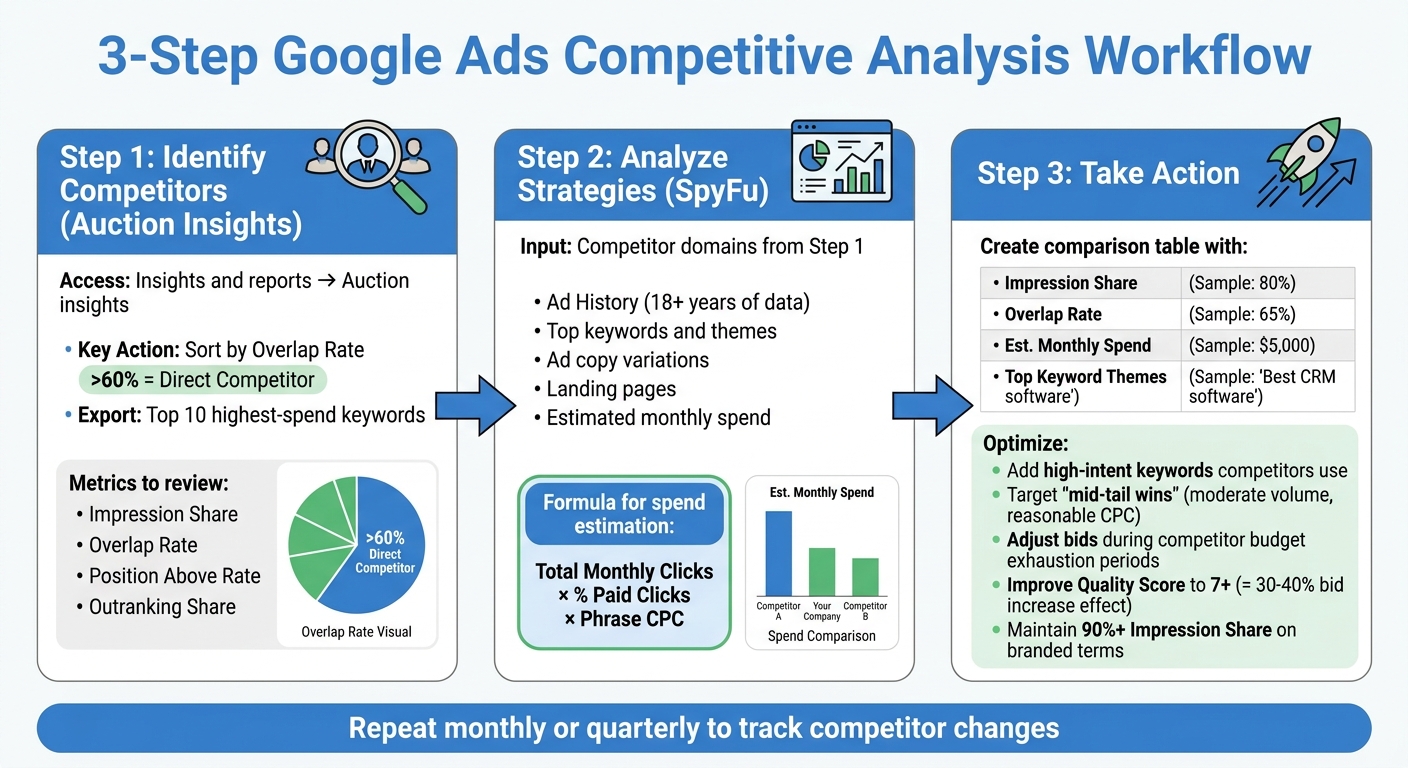
Google Ads Competitive Analysis Workflow Using Auction Insights and SpyFu
This structured workflow forces you to build strategies based strictly on extracted competitor data rather than assumptions.
Merging Auction Insights and SpyFu Data
Exporting keyword-level data from Auction Insights for competitors with an overlap rate above 60% establishes your core competitive baseline. This action immediately isolates the exact businesses draining your high-intent traffic.
Cross-referencing Auction Insights' Impression Share data with SpyFu's ad spend estimates determines if a competitor is winning through a massive budget or superior keyword targeting. Auction Insights identifies the competitor, while SpyFu reveals their exact keyword list and estimated monthly ad spend.
High "Lost IS (Rank)" in Google Ads dictates an immediate need to rewrite ad copy and optimize landing pages using high-performing competitor examples pulled from SpyFu. Conversely, a high "Lost IS (Budget)" requires comparing your daily spend limits against SpyFu's competitor budget estimates to verify if you are simply underfunded.
Structuring Competitor Comparison Tables
Building a competitor comparison table streamlines strategy adjustments by clearly organizing Impression Share, Overlap Rate, and Estimated Monthly Spend in one central view.
| Competitor Domain | Impression Share (Google) | Overlap Rate (Google) | Est. Monthly Spend (SpyFu) | Top Keyword Theme (SpyFu) |
|---|---|---|---|---|
| Competitor A | 45% | 75% | $5,000 | Product Features |
| Competitor B | 30% | 40% | $12,000 | Pricing/Discounts |
| Your Brand | 55% | N/A | $8,000 | Solutions/Benefits |
Segmenting exported Auction Insights data by device type (mobile vs. desktop) and time of day strictly isolates specific bidding windows where major competitors power down their campaigns, exposing cheaper clicks.
Executing Campaign Adjustments
Injecting mid-tail keywords discovered in SpyFu—terms with moderate search volume and low CPCs ignored by larger competitors—directly into your campaigns drives highly cost-efficient conversions.
Adjusting bid schedules based on hour-of-day reports capitalizes on the exact moments budget-constrained competitors drop out of the auction. Outbidding a competitor with a high Impression Share but a low Position Above Rate during their off-peak hours secures top ad placements at a fraction of the standard cost.
Improving your keyword Quality Score to a 7 or higher increases your Ad Rank just as effectively as a 30–40% bid increase. Raising bids solely to secure the number one position often ruins Cost Per Acquisition (CPA), making positions 2 or 3 far more profitable long-term.
Applying Competitive Insights with Surfside PPC Services and Courses
Surfside PPC applies rigid competitive data from tools like Auction Insights and SpyFu directly to client accounts to force measurable growth. Every bidding and keyword decision is backed by solid math rather than marketing fluff.
Scaling with Surfside PPC Management and Consulting
Surfside PPC offers full-scale Google Ads Management Services for $400.00/month, utilizing real-time Auction Insights data to adjust bids the moment competitors attempt to monopolize search pages. This highly active management structure keeps client lead costs strictly controlled in volatile ad auctions.
For advertisers managing their own accounts, Surfside PPC provides Google Ads Consulting Sessions (1.5 to 2 hours) for $299.00. These deep-dive sessions rely on 10-week pivot table data to replicate successes like Precision Tree Services, a client that saw a 52% reduction in lead costs and a 40% job increase in 2025 using these exact competitor analysis frameworks built by Corey Frankosky.
Mastering PPC with Surfside PPC Courses and Premium Memberships
The completely updated Surfside PPC Google Ads Course 2026 ($34.99) provides step-by-step video tutorials on mining profitable competitor keywords using SpyFu and Google Ads data. Module #9 explicitly covers turning Auction Insights metrics into aggressive bidding strategies, while Module #4 of the 2025 Archive focuses exclusively on keyword intelligence.
Surfside PPC Premium ($5.00/month) grants exclusive access to advanced tutorials, bonus podcast episodes, and direct Q&A support via YouTube Memberships, Patreon, or Skool. This ongoing training establishes strict mathematical benchmarks for Click-Through Rates (CTR), Conversion Rates, and Cost Per Acquisition (CPA) based on live industry data so you know exactly when an ad is underperforming.
Conclusion: Turn Competitor Data into Profitable Campaigns
Google Ads Auction Insights and SpyFu completely eliminate guesswork by revealing the exact keywords, daily budgets, and ad copy variations your competitors use to generate revenue. Auction Insights flags the businesses actively outranking you, while SpyFu hands you their exact blueprint for search engine dominance.
Continuous competitor analysis is mandatory for long-term Google Ads profitability. Setting up a monthly tracking sheet to monitor Impression Share, Overlap Rate, and Outranking Share for your top 5–10 competitors guarantees you intercept their aggressive bidding strategies before they take your market share.
"The objective of competitive analysis is not to blindly copy your competitors, but to extract the mathematical data proving what works, and build a technically superior campaign."
Whether you execute these bid adjustments independently or hire Surfside PPC to manage your ad optimizations, leveraging free Auction Insights data is the immediate first step toward lowering your cost per lead.
FAQs
How do I know which competitors in Auction Insights matter most?
Competitors with an Overlap Rate above 60% and an Impression Share above 80% matter most in Auction Insights because they are aggressively targeting your exact audience. Monitoring competitors who consistently maintain a high Outranking Share immediately highlights which businesses possess superior keyword Quality Scores and larger daily ad budgets.
What should I do if my impression share is low because of budget vs. rank?
Low Impression Share caused by budget restrictions requires immediately reallocating ad spend toward your highest-converting exact-match keywords while pausing broad match experiments. If your Impression Share is lost due to ad rank, you must drastically improve your keyword Quality Scores by rewriting ad copy to perfectly match your landing page intent and user search terms.
How accurate are SpyFu’s keyword and ad spend estimates?
SpyFu’s keyword and ad spend estimates are highly reliable for identifying overarching competitive trends, relying on sampled clickstream data and extensive keyword scraping. While exact dollar amounts may fluctuate, the relative differences displayed between competitors provide an accurate, factual baseline for reverse-engineering their most profitable PPC strategies.
Related Blog Posts
0 comments