

Best Google Ads Tools for Campaign Management
Welcome back to Surfside PPC. Today, we're going to be going over the best Google Ads tools for campaign management. Basically, Google Ads tools are absolutely essential if you want to manage your ad campaigns effectively. They help you with everything from planning and creating, to optimizing and measuring your campaigns so you can actually improve your ROI. Here is everything you need to know about the tools I use every single day in my own accounts:
- Planning Tools: I use the Keyword Planner constantly to find cost-effective keywords and estimate my costs. You should also be leveraging Audience Insights to truly understand your customer demographics and interests.
- Campaign Creation: The Recommendations Tab offers suggestions, but best practice is to ignore a lot of it. For ads, Responsive Search Ads allow Google's AI to test your ad variations automatically for better click-through rates.
- Optimization: Tools like the Performance Planner help you predict campaign outcomes based on budget changes. And, of course, negative keywords ensure your ads only show for highly relevant searches so you stop wasting money.
- Measurement: You must track your conversions, analyze your search terms, and use proper attribution models to understand exactly which ads are driving your revenue.
- Advanced Management: Google Ads Editor makes bulk updates incredibly simple, while scripts and automated rules save you hours by automating repetitive tasks.
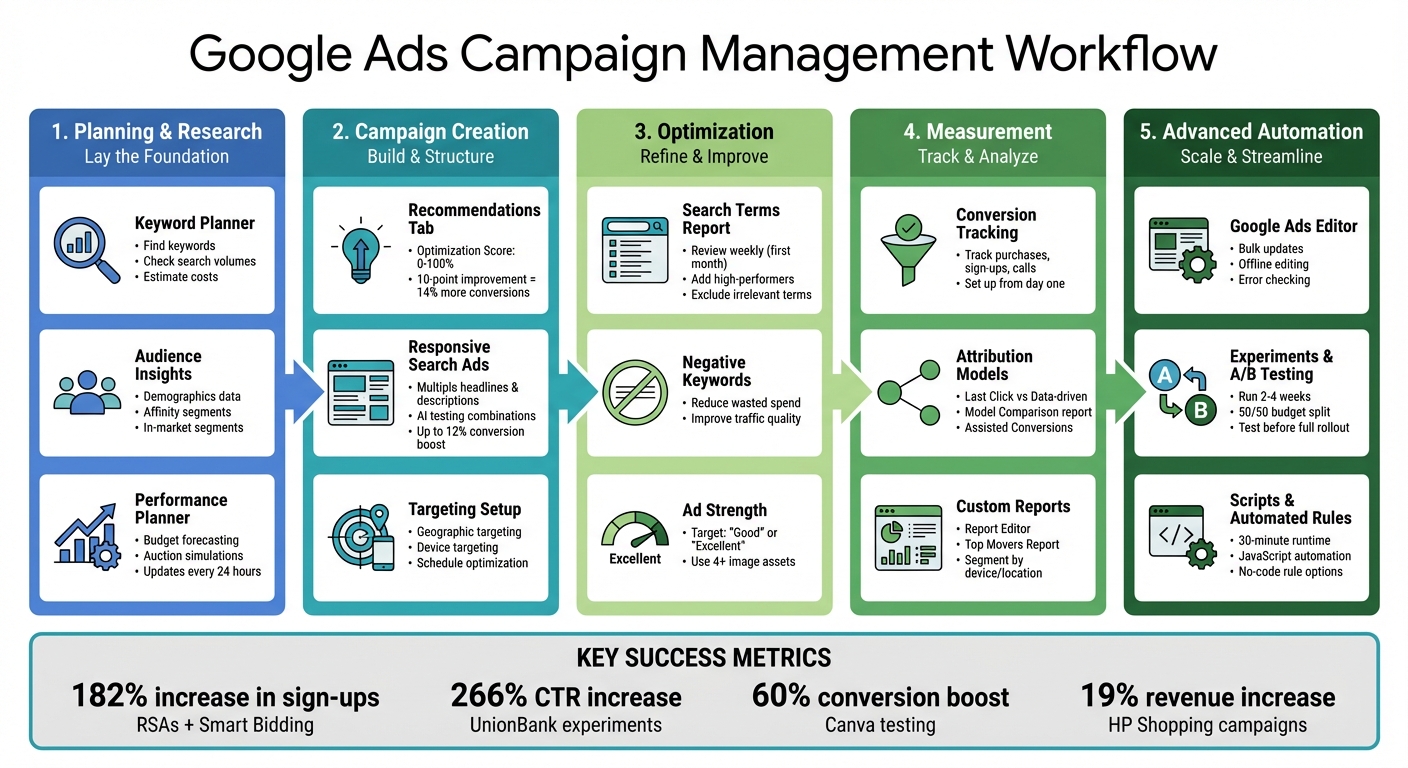
Complete Google Ads Campaign Management Workflow
Google Ads Planning and Research Tools
1. Keyword Planner
The Keyword Planner is my absolute favorite tool for building ad campaigns. It is completely free inside your Google Ads account. It helps you uncover new keywords, check search volume demand, and estimate your costs before you spend a single dollar. What we're going to do is find keywords by typing in your products, dropping in a competitor's URL, or just selecting a general product category. It gives you monthly search volumes, trends, and tells you if the competition is Low, Medium, or High. It also shows your "Ad Impression Share", reflecting how often your ads actually appear compared to the total search volume.
One thing I always look at is the "Top of page bid" ranges. This shows you the cost-per-click (CPC) you need to pay for premium ad placements. If you have a brand new account or a tiny budget, it’s a very smart move to focus on keywords with medium or low competition so you don't burn through your budget in an hour.
The performance forecasting feature is also fantastic. It estimates your clicks, impressions, and conversions based on what you plan to spend. If you have conversion tracking set up properly, the forecasts are incredibly accurate, giving you a very clear picture of your potential ROI before you launch.
2. Audience Insights
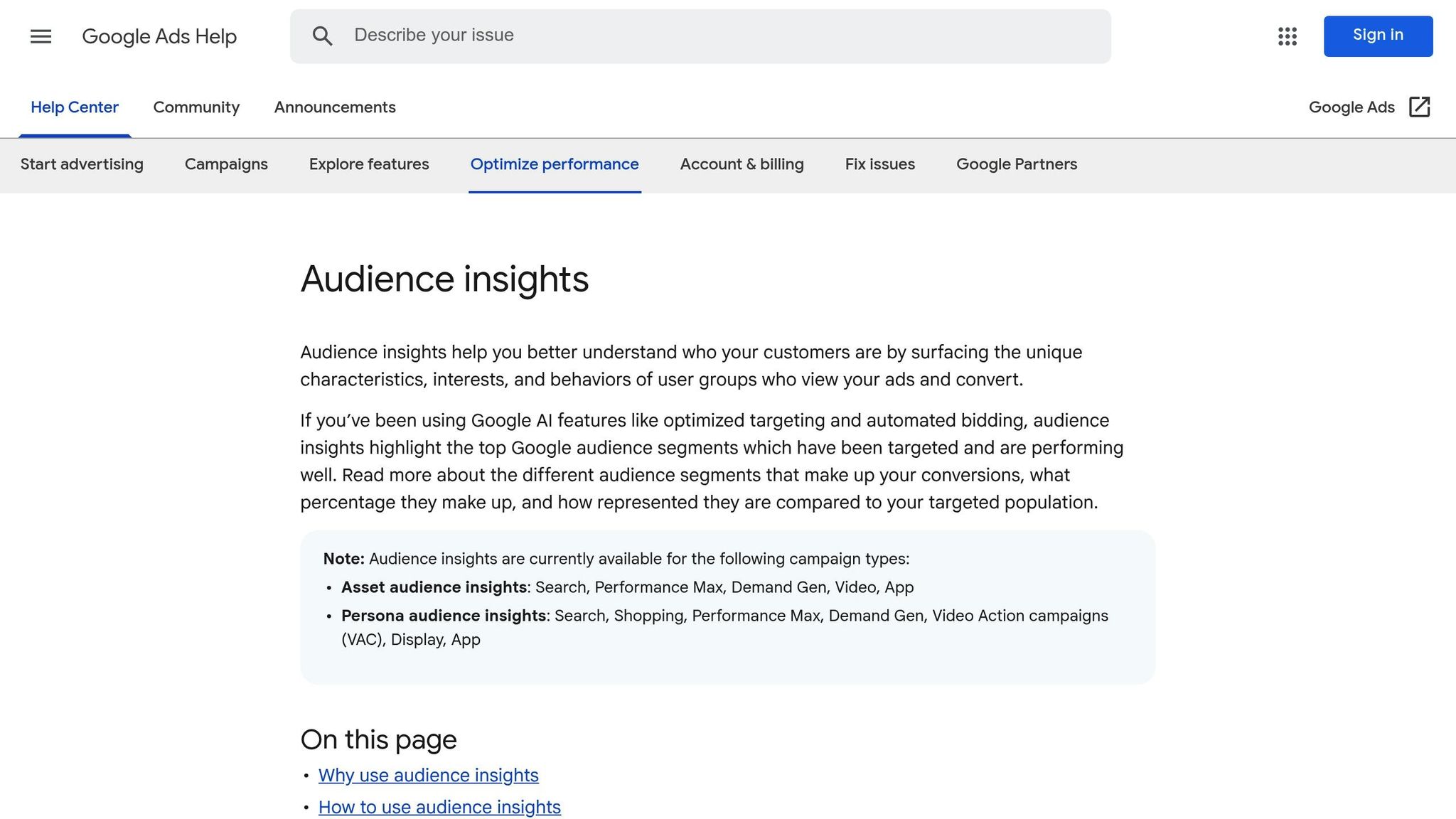
So, Audience Insights helps you dig deep into your customer demographics. It breaks down age, gender, parental status, and household income. It also categorizes users into affinity segments (what they generally like) and in-market segments (what they are actively trying to buy right now). Additionally, it highlights search trends and YouTube viewing habits so you know exactly what type of content your audience consumes.
If you are running Performance Max campaigns, providing "Audience Signals" using this data will drastically speed up the algorithm’s learning phase. You can feed it your first-party data (like your email list) alongside specific demographics to help Google find the right customers faster. You can even use the "Life Event" signal to target ads for specific occasions, like people who just moved or recently got married.
3. Performance Planner
The Performance Planner is how I predict how my campaigns will perform if I change my budgets or bidding strategies. It runs auction simulations based on data from the past 7–10 days. The planner’s forecast graphs visually show you exactly how increasing or decreasing your daily spend will affect your total conversions and your cost-per-acquisition (CPA).
To get the most out of it, group campaigns with similar business goals together. Keep in mind that your campaigns need to meet certain thresholds for clicks and conversions to use this tool, and they need to be running automated bidding strategies like Target CPA or Maximize Conversions.
sbb-itb-d8a1e45
Google Ads For Beginners (Complete Guide)
Campaign Creation and Optimization Tools
These tools take your initial campaign planning and help fine-tune your efforts so you actually make money.
Recommendations Tab and Optimization Score
The Recommendations Tab gives you an "Optimization Score" from 0% to 100%. Now, I will tell you, if you listen to me over your recommendations, you will probably see better results. Best practice for the recommendations tab is to ignore a lot of it. Some of it is good, some of it is bad, and generally, they are just trying to get you to spend more money. You do not need to blindly apply every single recommendation to get to 100%.
However, you should check this tab. Pay close attention to the "Repairs" section—this is where Google warns you about critical issues like disapproved ads or broken conversion tracking. Fix those immediately. Then, only look at the suggestions that actually align with your business goals.
Ads and Assets Management
Responsive Search Ads (RSAs) are the standard now. You provide a bunch of headlines and descriptions, and Google’s AI tests all the different combinations to see what gets the highest CTR. Always aim for an Ad Strength of "Good" or "Excellent."
I also highly recommend using dynamic customization, like the {LOCATION(City)} parameter. This automatically inserts the user’s city into your ad copy, making your ad highly relevant. And don't forget to use all your assets—sitelinks, callouts, and structured snippets make your ads physically larger on the page, which drives more clicks.
Geographic, Device, and Schedule Targeting
Geographic targeting is how local businesses survive against massive national brands. Research shows that over 80% of consumers prefer shopping locally. Always link your Google Business Profile so you can use location assets. This puts your business address right in the ad and allows you to show up at the top of local map results.
Finally, use Ad Scheduling so your ads only run when you are actually open to take phone calls or process orders. Set your schedules in your local U.S. time zone.
Measurement and Reporting Tools
Search Terms and Negative Keywords
If there's one thing I can give to you, let it be checking your Search Terms Report. This report shows you exactly what people typed into Google to trigger your ad. I check this weekly for new campaigns to find irrelevant searches, which I immediately add as negative keywords. This is how you stop wasting your budget on bad traffic.
Check the "Match type" column. If your broad match keywords are pulling in garbage traffic, switch them to phrase or exact match.
Conversion Tracking and Attribution
Truthfully, if you aren't tracking conversions, you shouldn't be running ads. Period. You need to track purchases, form fills, and phone calls. I recommend switching your attribution model to Data-driven so Google uses machine learning to distribute conversion credit across multiple touchpoints, rather than just giving all the credit to the last click.
Also, make sure you link your Google Ads account to Google Analytics so you can analyze your post-click behavior, like bounce rates and time-on-site. If your customers switch devices during their journey, enable Cross-device conversions so you don't lose that data.
Custom Reports and Insights
The Report Editor allows you to build custom tables and charts. I love using the Top Movers Report because it instantly shows me which campaigns had massive spikes or drops in costs and conversions over the last week. It helps me spot anomalies before they turn into expensive problems.
Advanced Management and Automation Tools
Shared Library and Bulk Management
The Shared Library is great for managing Portfolio Bid Strategies that span across multiple campaigns. But if you are managing a massive account, you need to download the Google Ads Editor. It is a free desktop application that lets you work offline and make bulk changes to hundreds of ad groups in seconds. It is an absolute lifesaver.
Experiments and A/B Testing
Never guess what works. Use Custom Experiments to run a duplicate of your campaign to test a new bidding strategy, a new match type, or a new landing page. Run a 50/50 budget split for 2 to 4 weeks, look at the data, and permanently keep the winner.
Scripts and Automated Rules
Google Ads Scripts use JavaScript to automate time-consuming tasks. You can use scripts to pause out-of-stock items or adjust bids dynamically based on the weather.
If you don't know how to code, use Automated Rules. You can set rules to automatically pause keywords if they spend $50 without getting a conversion, or increase your bids by 10% on weekends. It is a completely no-code way to automate your daily optimizations.
Conclusion
Key Takeaways
Basically, stop relying on guesswork. Use the Keyword Planner to find your target search terms, set up your conversion tracking immediately, and rely on the Search Terms Report to build robust negative keyword lists. If you use these Google Ads tools properly, you will drastically lower your cost-per-acquisition (CPA) and increase your return on ad spend (ROAS).
Next Steps for Advertisers
Start by auditing your account today. Is your conversion tracking actually working? Are you checking your Recommendations tab? If you feel overwhelmed, Surfside PPC offers consulting sessions and monthly management services to help you fix your account and get your ROI back on track.
FAQs
How can I use Audience Insights to improve my Google Ads campaigns?
So, Audience Insights gives you a crystal-clear picture of who is actually interacting with your business. It breaks down demographics, active purchase intent, and what other websites your customers are visiting. I use this data to create custom audience segments and apply bid adjustments. For example, if Audience Insights tells me that 80% of my converters are females aged 35-54, I will increase my bids specifically for that demographic to maximize my ROI.
How can Performance Planner help optimize my Google Ads budget?
Basically, the Performance Planner takes the guesswork out of budget scaling. If you want to know what will happen to your CPA if you increase your daily budget by $50, the Performance Planner will simulate the auction and show you a forecast graph. It tells you exactly where the point of diminishing returns is, so you don't waste money pushing a budget past what the search volume can actually handle.
How can I use negative keywords to improve the relevance of my Google Ads?
Truthfully, negative keywords are the absolute best way to stop wasting money in Google Ads. You use them to block your ads from showing for irrelevant searches. I always check the Search Terms Report to see exactly what users typed in to click my ad. If I sell "luxury watches" and I see someone clicked my ad after searching for "cheap plastic watches," I immediately add "cheap" and "plastic" as exact match and phrase match negative keywords. This guarantees my budget is only spent on high-intent buyers.
0 comments